
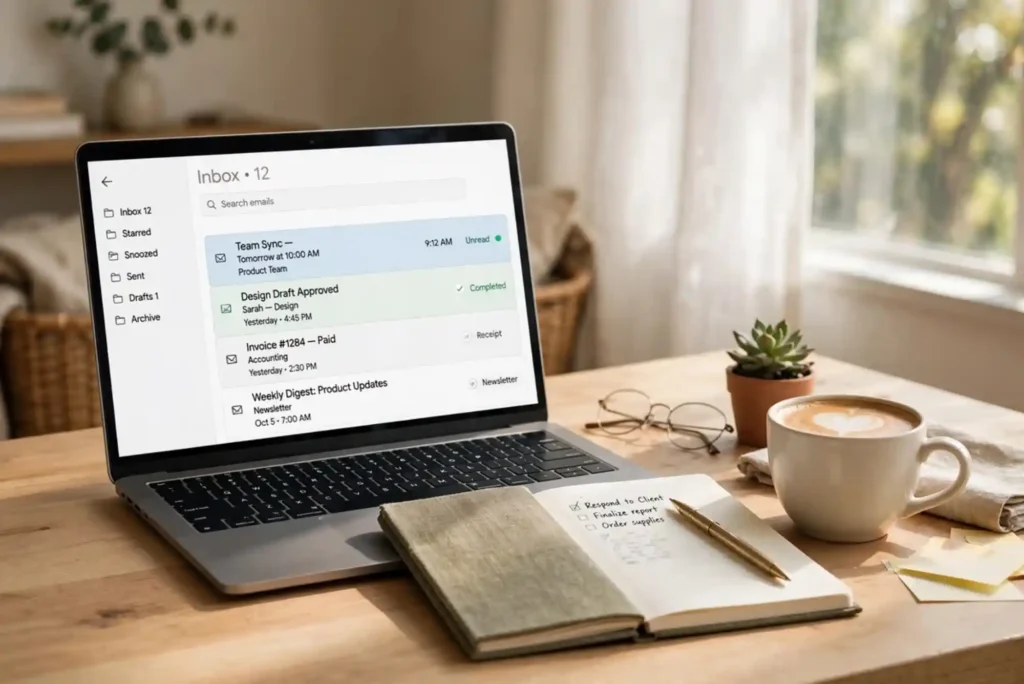
Advanced My Email Inbox Strategies for Marketers
Modern digital marketers face a relentless flood of daily messages. Every morning, opening my email inbox feels like stepping into a crowded digital marketplace. Client updates, analytics reports, and vendor pitches compete fiercely for your limited attention. Without a structured system, vital campaign deadlines easily slip through the cracks.
However, transforming your daily workflow does not require working longer hours. By implementing advanced organizational frameworks, you can regain total control over your communications. This comprehensive guide explores proven methods to optimize my email inbox for peak marketing performance.
Why Standard Organization Fails Modern Marketers
Basic folder systems simply cannot keep up with fast-paced marketing environments. When you manage multiple ad campaigns simultaneously, manual sorting becomes a massive bottleneck. Relying solely on memory or unread badges leads directly to decision fatigue and missed opportunities.
Furthermore, marketers receive unique types of correspondence compared to standard corporate roles. You must juggle press releases, influencer negotiations, and automated software alerts constantly. Therefore, my email inbox requires a specialized architecture tailored specifically to promotional workflows.
Implementing the Automated Triage Framework
The most successful growth professionals never sort incoming mail by hand. Instead, they build intelligent routing rules that categorize messages before they ever hit the main screen. Setting up automated filters ensures that my email inbox remains reserved exclusively for high-priority human interactions.
First, create routing rules for all third-party marketing tools so software alerts bypass your main screen. Second, establish VIP priority tags for key stakeholders, major clients, and executive leadership. This simple automation protects your professional reputation while keeping my email inbox remarkably calm.
Mastering the Four-Bucket Execution Method
Once automation clears away the digital noise, you need a rapid decision-making protocol. Whenever you open my email inbox, process each remaining message using four distinct action buckets. Never read an email twice without assigning it to a specific operational category.
Handle quick two-minute approvals immediately, convert complex tasks to your project board, and track delegated work separately. Finally, archive competitor newsletters into a searchable swipe file library for future inspiration. Following this strict routine keeps my email inbox completely clutter-free every single day.
Leveraging AI and Smart Templates for Rapid Responses
Repetitive typing drains valuable creative energy that should go toward campaign strategy. Modern marketers routinely answer similar questions regarding media kits, partnership rates, and reporting schedules. Building a robust library of dynamic text snippets can slash your daily correspondence time in half.
Additionally, modern AI assistants can summarize lengthy agency threads or draft initial outreach pitches within seconds. Always personalize the opening sentence to show recipients that you value their specific business context. Combining machine efficiency with authentic empathy ensures my email inbox operates as a high-speed command center.
Auditing Subscriptions and Eliminating Digital Noise
Marketers notoriously subscribe to hundreds of industry newsletters, webinar alerts, and competitor lists. Over several months, these well-intentioned signups quietly overwhelm my email inbox with unread clutter. Conducting a ruthless monthly subscription audit is essential for maintaining long-term mental clarity.
Create a dedicated secondary email alias strictly for downloading gated whitepapers and tracking competitor funnels. For existing clutter, use bulk unsubscribe tools to remove any newsletter that has not inspired a recent campaign. This strategic separation keeps my email inbox laser-focused on active revenue-generating conversations.
Optimizing Deliverability and Testing Your Own Campaigns
Managing incoming mail is only half the battle for a seasoned email marketer. You must also understand how your own promotional broadcasts land inside your subscribers’ accounts. Before launching any major sequence, utilizing Litmus Email Testing helps you catch broken layouts or spam triggers early.
Moreover, pay close attention to how your own test sends behave inside my email inbox. If your internal previews land in the promotions tab or junk folder, your subscribers face the exact same issue. Adjusting your text-to-image ratio and authenticating your domain records will dramatically improve overall placement.
Aligning Email Workflows with Broader Digital Strategy
True marketing mastery happens when your communication channels work in complete harmony. Insights gathered from customer replies inside my email inbox should directly inform your broader content creation. Pay close attention to the exact phrasing customers use when asking questions about your products.
When you notice recurring pain points, collaborate with specialists offering SEO Expert Help to turn those questions into high-ranking web pages. Sharing these common objections with your paid advertising teams will also lower acquisition costs and boost conversions. Your daily correspondence holds the exact voice-of-customer data needed to outperform competitors.
Time-Blocking Techniques to Protect Creative Flow
Constant notifications are the ultimate enemy of high-level marketing strategy and copywriting. Every time an alert chimes, it takes over twenty minutes to regain deep cognitive focus. Turning off desktop pop-ups and checking my email inbox on a strict schedule will transform your daily output.
Adopt a disciplined three-window checking routine in the morning, midday, and late afternoon. During the hours between these scheduled windows, close your mail tab completely to focus on deep work. Protecting your attention span is the highest-leverage habit any modern marketer can develop.
Frequently Asked Questions
How often should a marketer check my email inbox during the workday?
Most high-performing marketers check their messages only three times per day. Scheduling dedicated blocks in the morning, midday, and late afternoon prevents constant context switching.
What is the fastest way to reach inbox zero when I have thousands of unread emails?
Do not waste hours sorting ancient correspondence one by one. Create a temporary archive folder, select everything older than thirty days, and move it there immediately.
How do I keep marketing newsletters from cluttering my email inbox?
Set up a dedicated email alias specifically for industry research, competitor tracking, and gated content downloads. This keeps promotional signups completely separate from your primary business address.
Alternatively, create an automated filter that routes all messages containing the word unsubscribe into a weekend reading folder. This keeps your main workspace clean for client and team communications.
Why do my own marketing test emails go to spam in my email inbox?
Test emails frequently trigger spam filters when they lack proper domain authentication like SPF, DKIM, and DMARC records. Sending heavy image-based layouts without sufficient plain text also lowers deliverability.
Should I use folders or labels to organize my email inbox?
Labels or tags generally work much better than rigid nested folders for fast-paced marketing workflows. A single email thread can carry multiple tags, such as client name and urgent status, simultaneously.


Leave a Reply